Ford Pass Electric Car Review Features and Benefits Explored
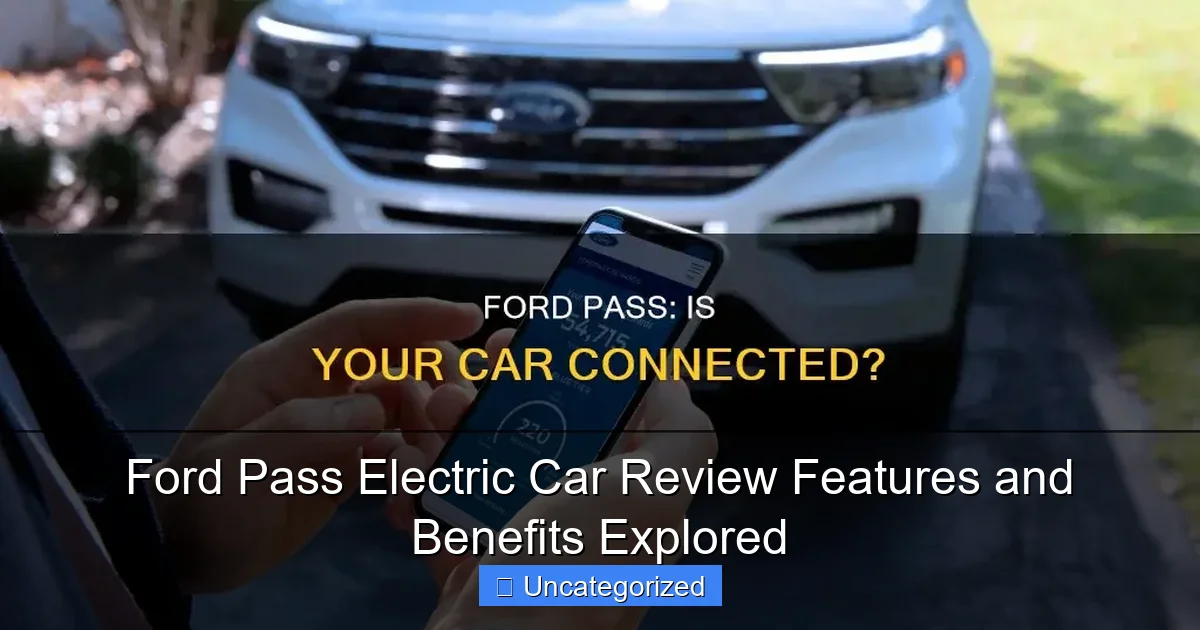
Featured image for ford pass electric car
Image source: s1.cdn.autoevolution.com
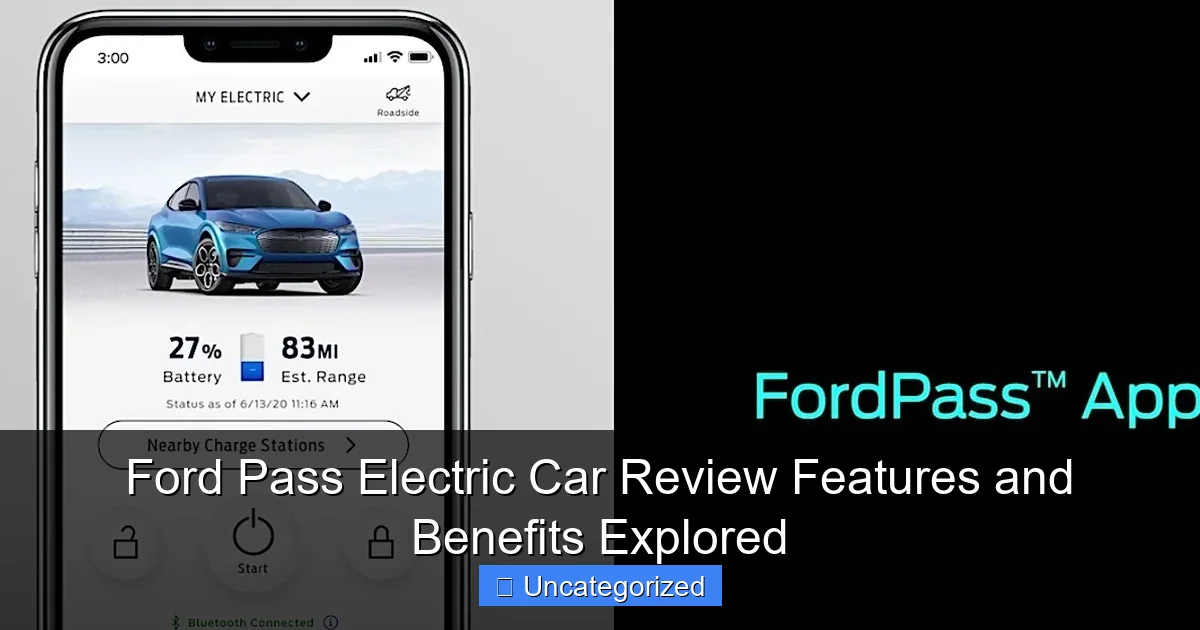
The Ford Pass app transforms your electric vehicle experience with seamless remote control and real-time monitoring. From locking doors and checking charge status to pre-conditioning the cabin and locating nearby charging stations, Ford Pass puts smart EV convenience at your fingertips—all through an intuitive, feature-rich mobile platform.
Key Takeaways
- Remote control: Lock, unlock, and start your Ford EV via smartphone.
- Real-time data: Monitor battery status and charging progress remotely.
- Route planning: Find charging stations and optimize travel routes easily.
- Scheduled charging: Set charging times to save on energy costs.
- Maintenance alerts: Receive timely service reminders and vehicle diagnostics.
- Enhanced security: Locate your car and receive theft alerts instantly.
📑 Table of Contents
- Ford Pass Electric Car: A Gateway to Smarter, More Connected Driving
- What Is Ford Pass and How Does It Work?
- Top Features of the Ford Pass App for Electric Vehicles
- Benefits of Using Ford Pass for EV Owners
- Ford Pass and the Future of Connected EVs
- Comparing Ford Pass to Competitors: How It Stands Out
- Conclusion: Why Ford Pass Is a Game-Changer for EV Ownership
Ford Pass Electric Car: A Gateway to Smarter, More Connected Driving
The electric vehicle (EV) revolution is no longer a distant future—it’s happening now, and Ford is at the forefront of this transformation with its innovative Ford Pass Electric Car ecosystem. While Ford has long been known for its rugged trucks and muscle cars, the company’s pivot toward electrification marks a bold new chapter. At the heart of this shift is the Ford Pass app, a digital companion that redefines how drivers interact with their electric vehicles. Whether you’re considering the all-electric Ford Mustang Mach-E, the rugged Ford F-150 Lightning, or the upcoming Ford E-Transit, the Ford Pass app serves as the digital key to unlocking a smarter, more convenient, and more connected driving experience.
But what exactly is the Ford Pass Electric Car experience? It’s not just about charging or unlocking your car from your phone—it’s a holistic suite of features designed to simplify ownership, enhance safety, and optimize performance. From remote climate control to real-time battery monitoring, route planning, and even vehicle-to-grid (V2G) capabilities, Ford Pass integrates seamlessly with Ford’s growing lineup of EVs. As more drivers make the switch from gas to electric, tools like Ford Pass are no longer a luxury—they’re a necessity. In this comprehensive review, we’ll dive deep into the features, benefits, and real-world applications of the Ford Pass app, exploring how it elevates the ownership experience for Ford’s electric vehicles.
What Is Ford Pass and How Does It Work?
Overview of the Ford Pass App
The Ford Pass Electric Car app is a free, downloadable mobile application available for iOS and Android devices. It acts as a digital command center for Ford owners, especially those driving electric models. Once you register your vehicle and link it to your Ford account, the app connects to your car via cellular data and cloud-based services, enabling real-time communication between your smartphone and your vehicle. The app is designed with a clean, intuitive interface that prioritizes ease of use, even for tech novices.

Visual guide about ford pass electric car
Image source: s1.cdn.autoevolution.com
Ford Pass is compatible with all current Ford electric vehicles, including the Mustang Mach-E, F-150 Lightning, and E-Transit, as well as hybrid models like the Escape Hybrid and Explorer Hybrid. However, the feature set is most robust and impactful for fully electric models, where remote monitoring and charging management are critical to daily usability.
Key Components of the Ford Pass Ecosystem
Ford Pass is more than just a remote control—it’s an ecosystem built around connectivity, convenience, and control. Here are the core components:
- Remote Access: Lock/unlock doors, start/stop climate control, and locate your vehicle using GPS.
- Charging Management: Monitor charging status, schedule charging times, and view charging history.
- Energy Insights: Track energy consumption, battery range, and regenerative braking performance.
- Navigation Integration: Send destinations directly from your phone to your car’s infotainment system.
- Vehicle Health Monitoring: Receive maintenance alerts, tire pressure warnings, and diagnostic reports.
- FordPass Rewards: Earn points for using Ford services, redeemable for discounts, free maintenance, or even vehicle upgrades.
How to Set Up and Link Your Vehicle
Setting up Ford Pass is straightforward. Here’s a step-by-step guide:
- Download the Ford Pass app from the App Store or Google Play.
- Create a Ford account using your email address.
- Enter your vehicle’s VIN (Vehicle Identification Number) to register it with the app.
- Follow the on-screen prompts to activate the connection. This may involve entering a PIN displayed on your vehicle’s touchscreen.
- Once linked, the app will automatically sync with your car’s telematics system.
Tip: For best results, ensure your vehicle is parked in an area with strong cellular signal during setup. Also, keep your phone’s Bluetooth and location services enabled for seamless connectivity.
Top Features of the Ford Pass App for Electric Vehicles
Remote Climate Control and Preconditioning
One of the standout features of the Ford Pass Electric Car app is remote climate control. Imagine waking up on a cold winter morning and stepping into a warm, defrosted car—without ever leaving your house. With Ford Pass, you can preheat or precool your EV from anywhere using your smartphone.
Visual guide about ford pass electric car
Image source: shunauto.com
This is especially valuable for electric vehicles because heating and cooling the cabin draws power from the battery. By preconditioning while your car is still plugged in, you preserve your driving range. For example, if you schedule a 7:00 AM departure, you can set the app to start heating the cabin at 6:40 AM while the vehicle is charging. This ensures maximum comfort and minimal range loss.
Pro Tip: Use the “Schedule Climate” feature to set recurring times for daily commutes. This not only improves comfort but also helps maintain battery health by avoiding extreme temperature exposure.
Real-Time Charging Status and Scheduling
Charging your EV shouldn’t be a guessing game. Ford Pass provides real-time updates on your charging status, including:
- Current battery percentage
- Estimated time to full charge
- Charging rate (in kW)
- Total energy delivered (kWh)
You can also schedule charging sessions to take advantage of off-peak electricity rates. For instance, if your utility offers lower rates between 11 PM and 6 AM, you can set the app to start charging at 11:30 PM and stop at 5:30 AM. This can save hundreds of dollars annually on your electricity bill.
Real-World Example: A Mustang Mach-E owner in California used scheduled charging to reduce their monthly electricity cost by 30%, saving over $150 per year.
Energy Usage Analytics and Range Forecasting
Understanding your energy consumption is crucial for maximizing range and efficiency. Ford Pass delivers detailed energy analytics, including:
- Daily, weekly, and monthly energy usage (in kWh)
- Regenerative braking contribution
- Climate control energy draw
- Estimated range based on driving habits and weather conditions
The app also uses machine learning to predict your vehicle’s range more accurately over time. For example, if you frequently drive on hilly terrain, the app will adjust its range estimates to reflect that. This helps prevent “range anxiety” and allows for better trip planning.
Navigation and Destination Sync
Forget typing addresses into your car’s touchscreen—Ford Pass lets you send destinations directly from your phone to your vehicle. Simply open Google Maps or Apple Maps, select a location, tap “Send to Ford,” and the route will appear on your car’s SYNC infotainment system.
For EV drivers, this feature integrates with Ford’s built-in EV routing, which automatically calculates the most efficient route, including recommended charging stops. The system factors in:
- Current battery level
- Distance to destination
- Available charging stations along the route
- Weather and terrain
This is a game-changer for long road trips. For instance, a family driving from Chicago to Nashville can rely on Ford Pass to suggest a charging stop in Indianapolis, ensuring they arrive with 40% battery remaining.
Benefits of Using Ford Pass for EV Owners
Enhanced Convenience and Time Savings
The Ford Pass Electric Car app eliminates many of the small but frustrating hassles of daily EV ownership. No more rushing to plug in before leaving for work—you can start charging remotely. No more waiting in a cold car—you can preheat it from bed. No more fumbling with keys—your phone becomes your digital key.
Consider this scenario: You’re running late for a meeting, but your F-150 Lightning is at 30% battery. Using Ford Pass, you:
- Start charging remotely from your office.
- Set the climate to “Auto” so the cabin is ready when you leave.
- Check the app to see it will reach 75% in 45 minutes—plenty for your 30-mile commute.
- Unlock the truck with your phone and drive off without ever touching a charger.
This level of automation saves time, reduces stress, and makes EV ownership feel effortless.
Cost Savings Through Smart Charging
Electricity costs can vary significantly throughout the day. Time-of-use (TOU) plans, common with many utilities, charge less during off-peak hours. Ford Pass’s scheduling feature allows you to capitalize on these rates.
For example, a typical EV owner might charge 20 kWh per day. At peak rates of $0.30/kWh, that’s $6.00/day. But by scheduling charging during off-peak hours at $0.12/kWh, the cost drops to $2.40/day—a 60% savings. Over a year, that’s over $1,300 in savings.
Bonus: Some utilities offer EV-specific plans with even lower rates. Ford Pass helps you take full advantage of these programs.
Improved Battery Health and Longevity
EV batteries degrade over time, but how you charge and manage them can extend their lifespan. Ford Pass promotes battery health by:
- Encouraging partial charging (e.g., 80% instead of 100%) for daily use
- Preventing deep discharges through low-battery alerts
- Reducing thermal stress via preconditioning while plugged in
For instance, leaving your EV parked in 100°F heat with a full battery can accelerate degradation. But with Ford Pass, you can monitor the battery temperature and, if needed, start the climate control while the car is plugged in to keep the battery cool.
Peace of Mind with Vehicle Alerts and Security
Ford Pass enhances safety and security with real-time alerts. You’ll receive notifications if:
- The vehicle is unlocked
- The charging cable is unplugged
- Tire pressure is low
- The battery is below 10%
The app also includes a “Find My Car” feature, which uses GPS to pinpoint your vehicle’s location—ideal for parking lots or unfamiliar areas. For added security, you can remotely lock the doors or disable the digital key if your phone is lost.
Ford Pass and the Future of Connected EVs
Integration with Smart Home and Energy Systems
Ford is working on deeper integration between Ford Pass and smart home ecosystems. For example, you could:
- Link your EV to your home solar system to charge using solar power
- Sync with your smart thermostat to coordinate charging with home energy use
- Use voice commands (via Alexa or Google Assistant) to control Ford Pass features
Imagine saying, “Alexa, start charging my F-150 Lightning,” and the app automatically begins charging during off-peak hours. These integrations are already in development and will roll out in future software updates.
Vehicle-to-Grid (V2G) and Bidirectional Charging
One of the most exciting developments in the Ford Pass Electric Car ecosystem is bidirectional charging. The F-150 Lightning, for example, can act as a mobile power source, supplying electricity to your home during outages (via the Ford Charge Station Pro).
Ford Pass will manage this capability by:
- Monitoring home power usage
- Automatically switching to backup power during grid failures
- Allowing you to sell excess energy back to the grid (in supported areas)
This transforms your EV from a transportation device into an integral part of your home energy system—a concept known as Vehicle-to-Grid (V2G).
Over-the-Air (OTA) Updates and Continuous Improvement
Unlike traditional vehicles, Ford EVs receive regular over-the-air software updates that improve performance, add features, and fix bugs. Ford Pass notifies you of these updates and can even schedule them during off-peak hours to avoid disruption.
For example, a recent update improved the Mustang Mach-E’s regenerative braking efficiency by 15%, increasing range. Another update added new navigation features to the EV routing system. These updates are delivered seamlessly through Ford Pass, ensuring your vehicle stays up-to-date.
Comparing Ford Pass to Competitors: How It Stands Out
Feature Comparison: Ford Pass vs. Tesla App vs. GM Ultifi
To understand the strengths of Ford Pass, let’s compare it to two major competitors: Tesla’s mobile app and GM’s Ultifi platform.
| Feature | Ford Pass | Tesla App | GM Ultifi |
|---|---|---|---|
| Remote Climate Control | Yes (with scheduling) | Yes | Yes |
| Charging Scheduling | Yes (off-peak optimization) | Yes | Yes |
| Bidirectional Charging Support | Yes (F-150 Lightning) | No | Planned (2025) |
| Energy Usage Analytics | Detailed (regen, climate, etc.) | Basic | Moderate |
| Smart Home Integration | Developing (Alexa, solar) | Limited | Moderate (via Google) |
| Rewards Program | Yes (FordPass Rewards) | No | Yes (OnStar) |
| OTA Updates | Yes (via Ford Pass) | Yes | Yes |
As shown, Ford Pass holds its own against industry leaders, with standout features like bidirectional charging support and a robust rewards program. While Tesla offers a more minimalist design, Ford Pass provides deeper energy insights and broader smart home integration potential.
User Experience and Accessibility
Ford Pass is designed to be accessible to all drivers, regardless of tech proficiency. The interface is clean, with large buttons and clear icons. Unlike some competitor apps that require multiple taps to access key features, Ford Pass keeps core functions (charging, climate, navigation) on the home screen.
Additionally, Ford Pass is free to use, with no subscription fees. This contrasts with some services that charge monthly for advanced features. Ford also offers 24/7 customer support through the app, a major advantage for new EV owners.
Conclusion: Why Ford Pass Is a Game-Changer for EV Ownership
The Ford Pass Electric Car ecosystem is more than just a mobile app—it’s a comprehensive solution that addresses the unique challenges and opportunities of electric vehicle ownership. From remote climate control and smart charging to energy analytics and bidirectional power, Ford Pass empowers drivers to get the most out of their EVs.
What sets Ford Pass apart is its focus on practicality and accessibility. It doesn’t just offer flashy features; it solves real problems—like range anxiety, charging costs, and battery longevity—with intuitive, user-friendly tools. Whether you’re a first-time EV owner or a seasoned enthusiast, Ford Pass enhances every aspect of the driving experience.
As Ford continues to expand its electric lineup and invest in connected technologies, Ford Pass will only grow in importance. With plans for deeper smart home integration, V2G capabilities, and continuous OTA updates, it’s clear that Ford is building a future where your car isn’t just a vehicle—it’s a smart, responsive, and essential part of your daily life. For anyone considering a Ford electric vehicle, the Ford Pass app isn’t just a bonus—it’s a necessity.
Frequently Asked Questions
What is the Ford Pass Electric Car, and how does it work?
The Ford Pass Electric Car refers to Ford’s lineup of electric vehicles (EVs), including the Mustang Mach-E and F-150 Lightning, paired with the FordPass app. The app allows owners to remotely monitor charging, lock/unlock doors, and pre-condition the cabin via smartphone.
How does the FordPass app enhance the electric car experience?
The FordPass app provides key features like real-time battery status, charging station locations, and remote start for climate control. It also offers vehicle diagnostics and roadside assistance, making EV ownership more convenient.
What are the standout features of the Ford Pass Electric Car lineup?
Ford’s electric cars boast impressive features like extended battery range (up to 320 miles), fast-charging capability, and advanced driver-assist tech like BlueCruise. The FordPass integration adds seamless connectivity for daily usability.
Can I use the FordPass app to schedule charging for my electric car?
Yes, the FordPass app lets you schedule charging times to take advantage of off-peak electricity rates. You can also set charging limits and receive notifications when your vehicle reaches the desired charge level.
How long does it take to charge a Ford electric car using FordPass?
Charging time depends on the battery size and charger type: Level 2 (240V) takes 8-10 hours for a full charge, while DC fast charging can replenish 80% in 40-50 minutes. FordPass helps locate compatible stations for faster charging.
Are there any benefits to joining the FordPass Rewards program with an electric car?
FordPass Rewards members earn points for purchases, service visits, and referrals, redeemable for maintenance, accessories, or even vehicle discounts. EV owners also get exclusive perks like free charging credits at select stations.