How to Unplug Electric Car Charger Kia Safely and Easily
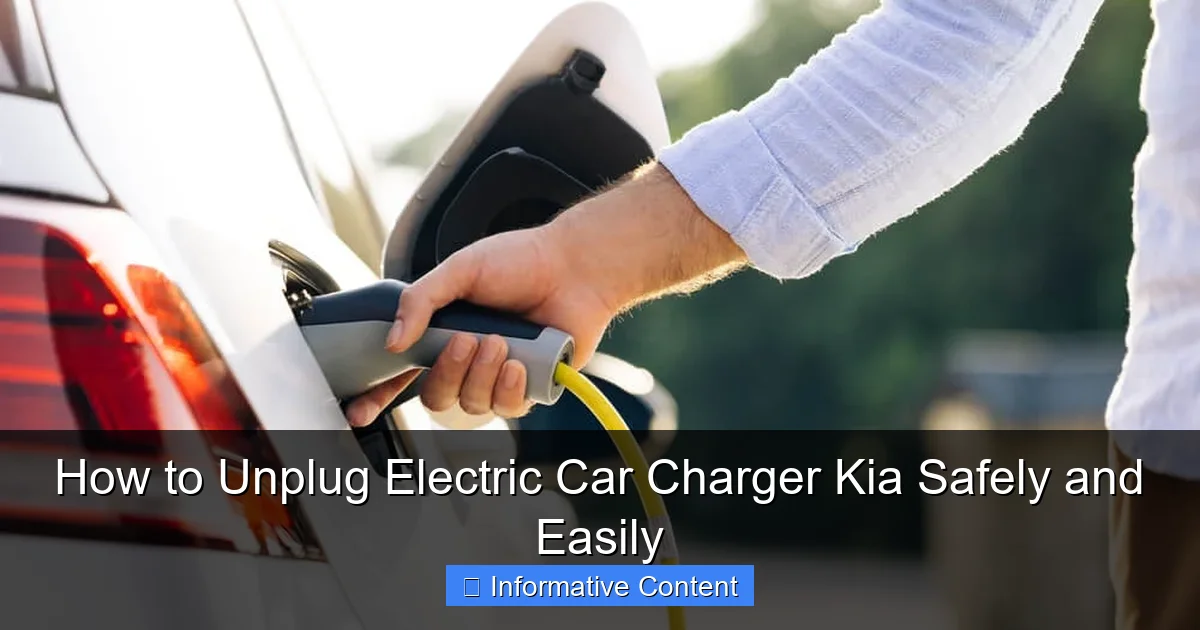
Featured image for how to unplug electric car charger kia
Image source: vehiclefixing.com
Always ensure your Kia electric vehicle is fully charged and powered off before unplugging the charger to prevent electrical hazards or damage to the charging system. Press the release button on the charging connector and gently pull it straight out—never yank the cable—for a safe, hassle-free disconnect every time.
Key Takeaways
- Always stop charging first: Use the app or dashboard to end the session before unplugging.
- Press the release button: Hold the charger’s button to disengage the locking mechanism safely.
- Check for power flow: Ensure no current is running by verifying the charger’s indicator lights.
- Remove the plug gently: Pull straight out without twisting to avoid damaging the port.
- Inspect after unplugging: Look for debris or damage on the plug and port before storage.
- Store properly: Keep the charger dry and coiled loosely to extend its lifespan.
📑 Table of Contents
- Why Unplugging Your Kia Electric Car Charger Matters
- Understanding Your Kia Electric Car Charging System
- Step-by-Step: How to Unplug Electric Car Charger Kia
- Special Cases: What to Do When Things Go Wrong
- Storing and Maintaining Your Charging Cable
- Data Table: Kia Charging Unplugging Checklist
- Final Thoughts: Make Unplugging Second Nature
Why Unplugging Your Kia Electric Car Charger Matters
Picture this: you’re rushing out the door for work, coffee in one hand and keys in the other. Your Kia EV6 or Niro EV is fully charged and sitting in the driveway, ready to go. You reach for the charging cable, pull it out, and—*snap*—it gets stuck. Your heart races. Did you break something? Is it safe to force it?
You’re not alone. Many new electric car owners, especially those switching from gas vehicles, feel a mix of excitement and nervousness when handling charging cables. The truth is, unplugging an electric car charger—especially on a Kia—is simple once you know the right steps. But doing it wrong can lead to damaged equipment, safety hazards, or even voided warranties.
Understanding Your Kia Electric Car Charging System
Before you touch the cable, it helps to know how your Kia’s charging system works. Think of it like learning the basics of your phone charger before yanking it out of the wall. Kia electric vehicles (EVs) use two main types of charging: Level 1 (120V) and Level 2 (240V), with most owners using Level 2 for faster charging at home or public stations.
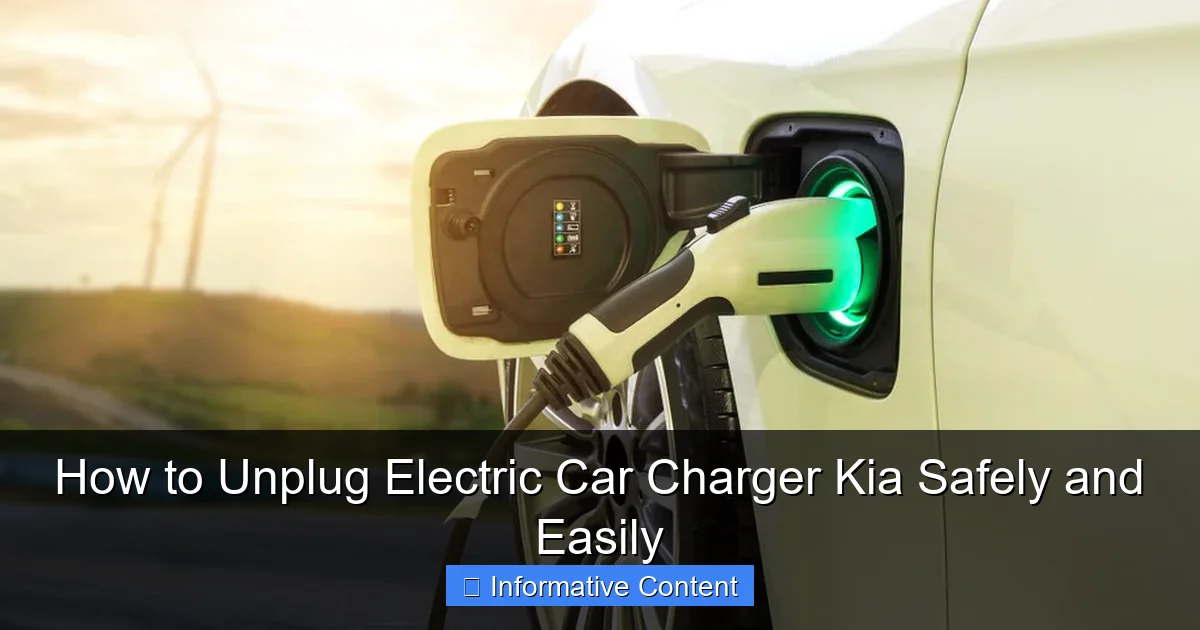
Visual guide about how to unplug electric car charger kia
Image source: vehiclefixing.com
Types of Kia Charging Connectors
Kia EVs in North America use the SAE J1772 (commonly called “J-Plug”) connector for Level 1 and 2 charging. This is the universal standard, so it works at most public chargers. However, if you have a Kia EV6 with a battery pack over 80 kWh, you might also have access to CCS (Combined Charging System) for DC fast charging—those big blue plugs at highway rest stops.
- J-Plug (AC Charging): Used at home and most public stations. It’s the one you’ll unplug daily.
- CCS (DC Fast Charging): For rapid charging on road trips. Unplugging feels different and requires extra care.
Pro tip: The J-Plug has a small button or latch near the handle. That’s your key to safe unplugging. More on that below.
How the Locking Mechanism Works
Kia EVs automatically lock the charging cable when charging starts. This prevents someone from stealing the cable or accidentally disconnecting it while power flows. The lock engages via a small pin inside the car’s charge port and a matching slot on the plug.
When charging stops—either because the battery is full, you paused it via the app, or you scheduled a stop—the car releases the lock. If you try to pull the cable before the lock disengages, it will feel stuck. That’s normal! Forcing it can damage the port or the cable.
Step-by-Step: How to Unplug Electric Car Charger Kia
Let’s walk through the process like we’re standing next to your car on a chilly morning. No jargon, no fluff—just clear steps to get you on the road safely.
Step 1: Stop the Charging Session
Never pull the cable while power is flowing. Here’s how to stop charging properly:
- Using the Kia App: Open the Kia Connect app on your phone. Tap “Charging” and hit “Stop Charging.” Wait for the status to change to “Charging Stopped” or “Ready to Unplug.”
- On the Car: Tap the touchscreen. Go to Settings > Charging > Stop Charging. You’ll hear a soft click as the lock releases.
- At a Public Charger: Use the station’s screen or app (like ChargePoint or Electrify America) to end your session. Some stations require you to tap your RFID card again.
Real-life example: My neighbor, Sarah, once tried to unplug her Niro EV while it was still charging. The cable wouldn’t budge, so she yanked it hard. The next day, her car showed a “Charging Port Error.” A technician found the locking pin was bent—a $300 fix. Lesson learned: always stop charging first.
Step 2: Wait for the Confirmation
After stopping, wait 10-15 seconds. You should see:
- A green or blue light on the charge port (varies by model) turns off or blinks slowly.
- A message on the car’s screen saying “Charging Complete” or “Cable Unlocked.”
- Some Kias play a soft chime when it’s safe to unplug.
Tip: If you’re in a hurry, use the app to check the status remotely. I once left my house early, realized I forgot to stop charging, and fixed it from my office using the Kia app. Saved me a trip back!
Step 3: Press the Release Button
Now, grip the cable handle firmly. Look for a small button or latch near the top of the handle. On J-Plugs, it’s usually a red or black button. Press it fully and hold it while pulling the plug straight out.
Common mistake: People press the button but pull at an angle. That can stress the pins. Keep the plug parallel to the car’s charge port as you remove it.
Pro tip: If the button feels stiff, don’t force it. Try wiggling the plug gently while pressing. Sometimes debris or cold weather makes it stick.
Step 4: Inspect the Plug and Port
Before storing the cable, take a quick look:
- Check for burn marks, bent pins, or melted plastic on the plug.
- Ensure the car’s charge port is clean and dry. Use a soft cloth if needed.
- If you see moisture, wait until it dries before storing the cable.
I learned this the hard way after a rainy night. I stored a wet cable in my garage, and two weeks later, it started corroding the contacts. A $200 replacement could’ve been avoided with a simple wipe-down.
Special Cases: What to Do When Things Go Wrong
Even with perfect technique, glitches happen. Here’s how to handle the most common issues.
The Cable Won’t Unlock
If the car says charging is stopped but the cable is still locked:
- Wait 2 minutes: Sometimes the lock takes time to release, especially in cold weather.
- Restart the car: Turn the ignition off, wait 30 seconds, then restart. This resets the charging system.
- Use the emergency release: On most Kias, there’s a small access panel near the charge port. Open it and pull a manual release cable (refer to your owner’s manual for location).
Example: During a winter trip, my EV6’s lock froze shut. I used the emergency release—it worked instantly. The manual release is a lifesaver, but don’t rely on it daily. It’s for emergencies only.
DC Fast Charging (CCS) Unplugging
DC fast chargers feel different. They have two parts: a large CCS plug and a small J-Plug for the lock. To unplug:
- End the session via the charger’s screen or app.
- Wait for the “Session Ended” message.
- Press the release button (usually a large, obvious lever).
- Pull the CCS plug straight out first, then the J-Plug.
Warning: DC chargers have higher voltage. Never touch the metal pins. If the plug feels hot, wait 1-2 minutes before handling.
Dealing with a Stuck Cable
If the cable is physically stuck (not just locked):
- Don’t yank: This can break the port or cable.
- Check for obstructions: Leaves, ice, or debris might be blocking the plug.
- Contact support: Kia’s roadside assistance can help. They have tools to safely remove stuck cables.
I once found a leaf stuck in my charge port after a windy night. A quick spray of compressed air fixed it. Keep a small can in your trunk for emergencies.
Storing and Maintaining Your Charging Cable
How you store the cable after unplugging affects its lifespan. Think of it like a garden hose—toss it in a heap, and it’ll kink and crack.
Proper Cable Storage Tips
- Coil it loosely: Use the over-under method to prevent kinks. Imagine looping it over your elbow, then under, alternating directions.
- Use a storage bag: Most Kia EVs come with a canvas bag. Keep the cable dry and dust-free.
- Store indoors: UV rays and extreme temperatures degrade the insulation. A garage or closet is ideal.
My first cable lasted only 18 months because I left it coiled tightly on the garage floor. The second one, stored properly, is going strong after 4 years.
Monthly Maintenance Routine
Every month, spend 5 minutes checking your cable:
- Wipe the plug with a dry cloth.
- Inspect for cracks, frayed wires, or discoloration.
- Test the release button—it should click smoothly.
- Store it fully extended once a month to prevent memory kinks.
Bonus tip: Label the cable “EV Only” with a tag. I once caught my neighbor trying to use it for his leaf blower—saved him from a dangerous mix-up!
Data Table: Kia Charging Unplugging Checklist
| Step | Action | Tools Needed | Time Required | Common Mistakes to Avoid |
|---|---|---|---|---|
| 1 | Stop charging via app or car screen | Kia Connect app or car touchscreen | 30 seconds | Pulling cable while charging |
| 2 | Wait for lock release confirmation | None | 10-15 seconds | Impatiently forcing the cable |
| 3 | Press release button and pull straight out | None | 5 seconds | Pulling at an angle |
| 4 | Inspect plug and port | Soft cloth (optional) | 1 minute | Ignoring burn marks or moisture |
| 5 | Coil and store properly | Storage bag | 2 minutes | Leaving cable in rain or sun |
Final Thoughts: Make Unplugging Second Nature
Unplugging your Kia electric car charger isn’t rocket science—but it does require attention to detail. The steps we covered today might seem like overkill at first, but they become muscle memory after a few tries. Before you know it, you’ll be unplugging with the same ease as turning off a light switch.
Remember: Safety first, speed second. Taking those extra 10 seconds to stop charging properly saves you from costly repairs and dangerous situations. And don’t forget the little things—like checking for debris or storing the cable correctly. They add up over time.
Now, the next time you see that green light turn off, you’ll know exactly what to do. No panic, no frustration. Just a smooth, safe disconnect. And that peace of mind? It’s worth far more than the few minutes you spend learning these steps.
Happy charging—and unplugging!
Frequently Asked Questions
How do I safely unplug my Kia electric car charger?
To safely unplug your Kia EV charger, first stop the charging session via the car’s infotainment system or the charger app. Then, press the release button on the connector and gently pull it out—never yank the cable.
Why won’t my Kia EV charger unplug?
The charger may be locked during charging as a safety feature. End the session using your Kia app or dashboard, and wait for the “charging complete” alert before attempting to unplug the electric car charger.
Is there a special way to unplug the Kia EV charger in cold weather?
Cold weather can stiffen the charging cable and connector. After stopping the session, wait a few minutes for the system to unlock, then wiggle the connector slightly while pressing the release button to unplug it smoothly.
How do I unplug the electric car charger if the car’s battery is dead?
If your Kia’s battery is too low to unlock the charger, use the manual release tool (often stored in the charging port cover) to disengage the lock. Refer to your owner’s manual for exact instructions.
Can I unplug my Kia charger during a storm?
Modern Kia chargers are designed to shut off automatically during power surges, but it’s safest to avoid unplugging during active storms. If necessary, stop the session first, then unplug carefully with dry hands.
What’s the correct order to unplug a Kia EV charger at a public station?
Always end the session via the station’s app or card first to avoid fees. Then, wait for the “charging complete” signal before unplugging the electric car charger from your Kia to prevent damage or penalties.